Admin Request Hub
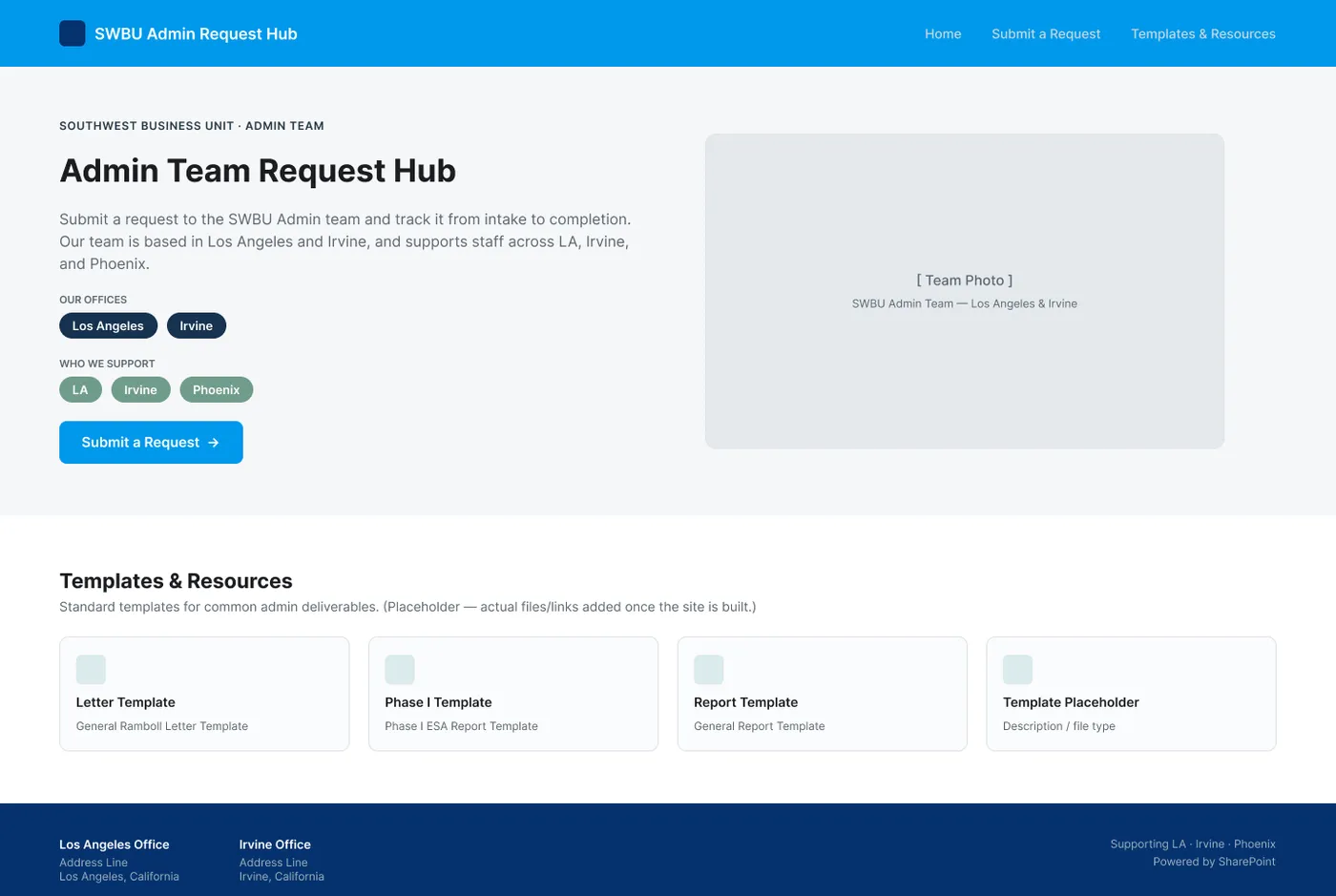
A shared request hub for my admin team, built in SharePoint so everyone can see who has what. I designed and built it solo, alongside my full-time role.
- Role
- Solo. Problem definition, design and build
- Team
- Solo project, tested with my admin teammates
- Timeline
- A few months in 2026, alongside my full-time role at Ramboll
- Status
- Built. Waiting on management review before launch.
- Methods
- Problem definition, tool comparison, concept mockups (desktop and mobile), two layout variants, workflow automation, testing with teammates
- Tools
- Figma, SharePoint, SharePoint Lists, Power Automate
The Problem
Our admin team used to run on one shared inbox. Requests, updates and anything anyone on the team needed went there, and it was a free-for-all. To fix that, leadership assigned each person to a specific admin, so most requests started going to individual inboxes instead.
That solved one problem and created another. The work was now spread across separate inboxes, and nobody could see it. We didn’t know who was overloaded, who had room, or who needed help, and the workload wasn’t evenly distributed.
My part: I spotted the problem, pitched a ticketing system, designed the hub in Figma, and built it in SharePoint and Power Automate.
How It Works
- Someone submits the request form.
- They get a “received, in progress” email. The admin team gets a “new request” alert.
- The request is tracked in a SharePoint list the whole team can see.
- The request is marked complete, and the requester gets a “request complete” email.
- The admin who handled it sends a confirmation.
I built the routing and emails in Power Automate, with SharePoint Lists tracking every request so the whole team can see what’s open and who has it.
From Problem to Decisions
| What I saw | What it meant | What I decided |
|---|---|---|
| Requests were spread across individual inboxes, and nobody could see who had what. Design Decision | The team needed one shared view of every request. | A SharePoint list that tracks every request, visible to the whole admin team. |
| Tools like Monday.com and Trello would have needed procurement approval. Design Decision | The solution had to use what Ramboll already had. | SharePoint and Power Automate, following an example another team had built. |
| There are seven request types, from report formatting to meeting requests. Design Decision | A long row of buttons is hard to scan. | I designed both a dropdown and a pill-button version, and went with the dropdown. |
| A client might need something by the end of the month, while the PM needs it mid-month so the principal can review it first. Design Decision | Admins need both dates to plan their work. | Separate internal and external due dates, so the timeline and who it's owed to are clear from the start. |
| Old templates got reused by mistake, and people sometimes edited the live copy, which broke it for everyone else. Design Decision | People needed one reliable place to find the right version. | A Templates and Resources section on the hub's home page. |
Two Layouts, One Choice
I designed the request form two ways. One used a dropdown for request type, and the other showed all seven types as pill buttons. I went with the dropdown because there are so many request types, and a list is easier to move through than a wall of buttons.
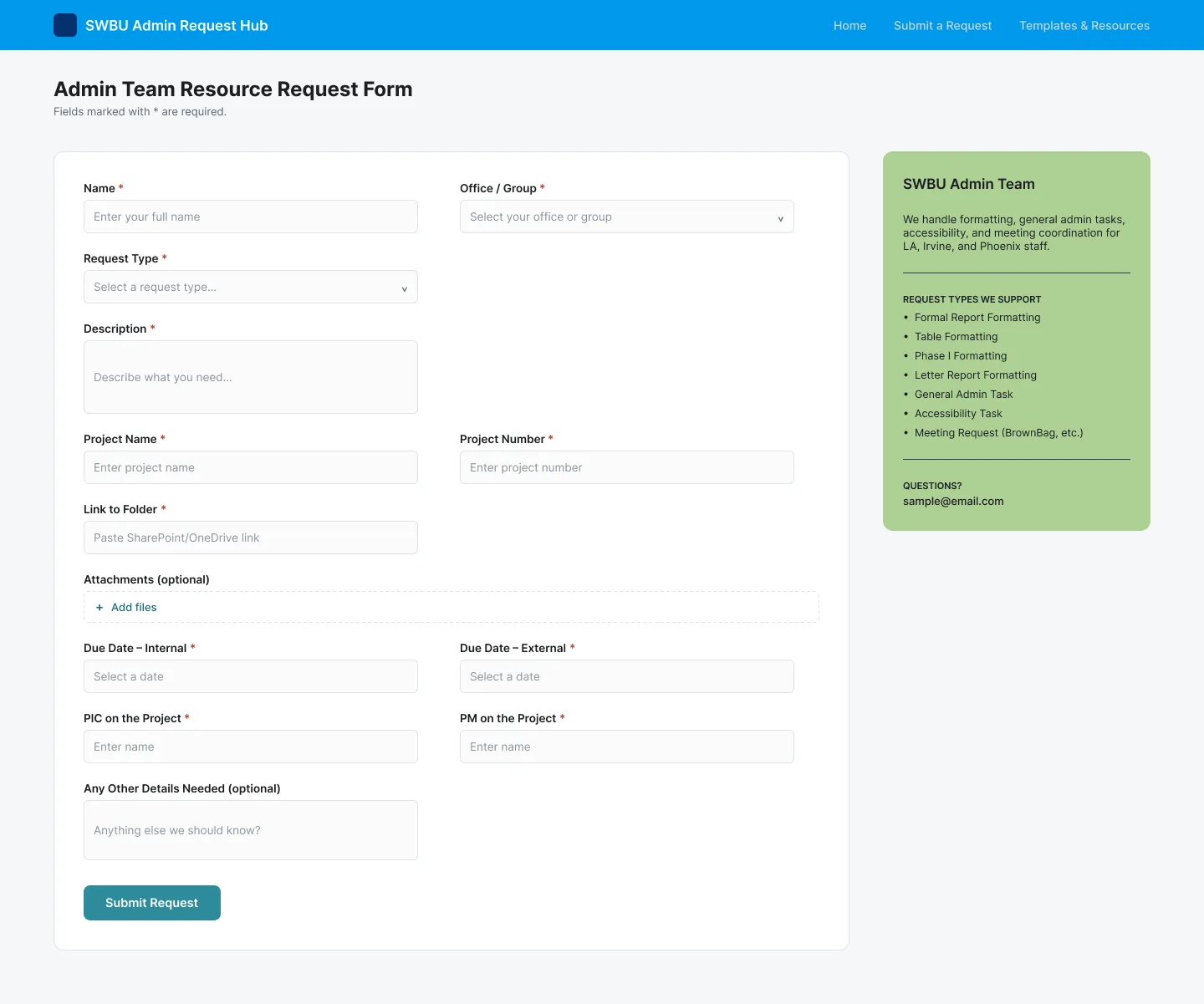
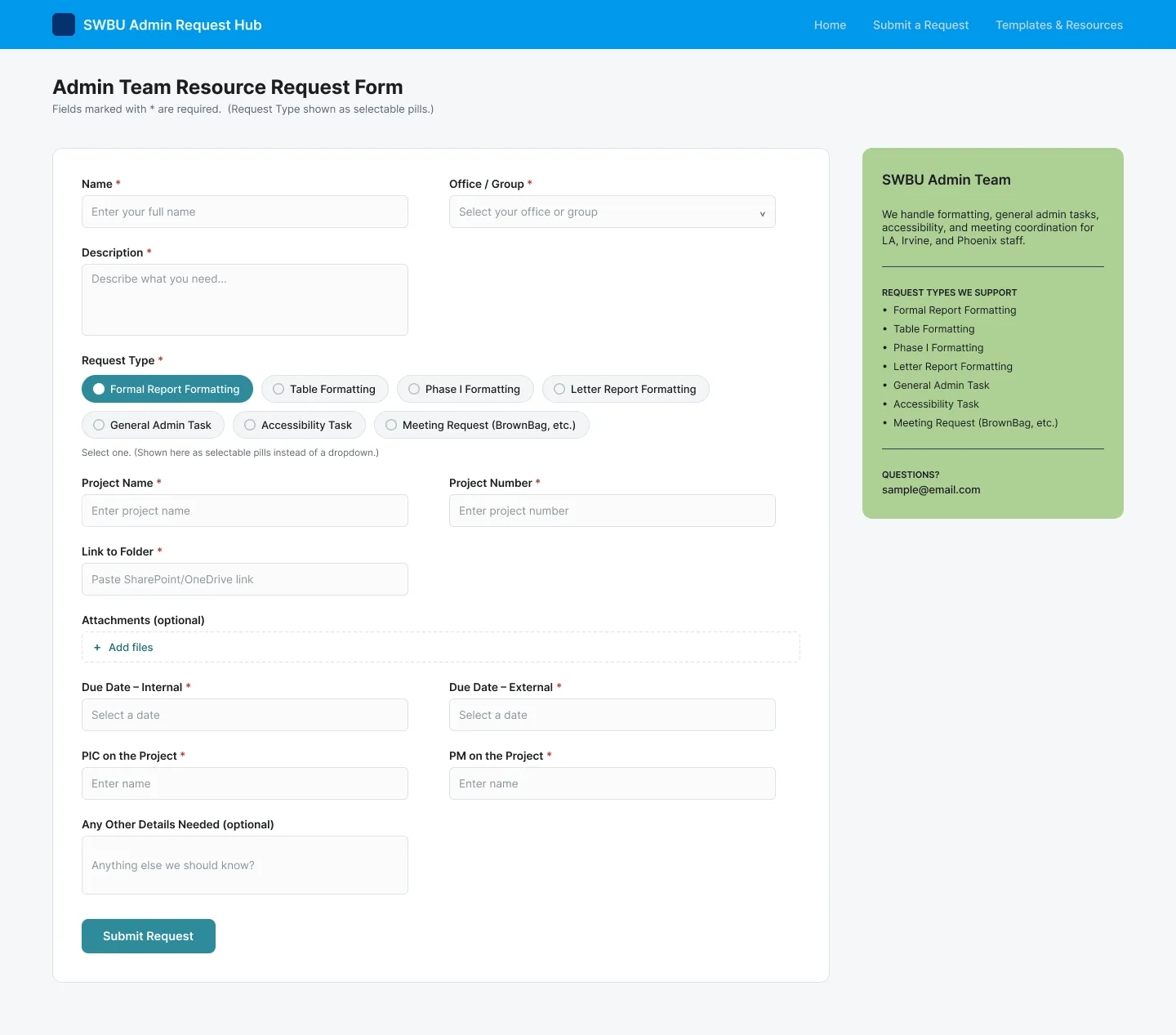
Dropdown (chosen) and pill versions of the form.
Process notes
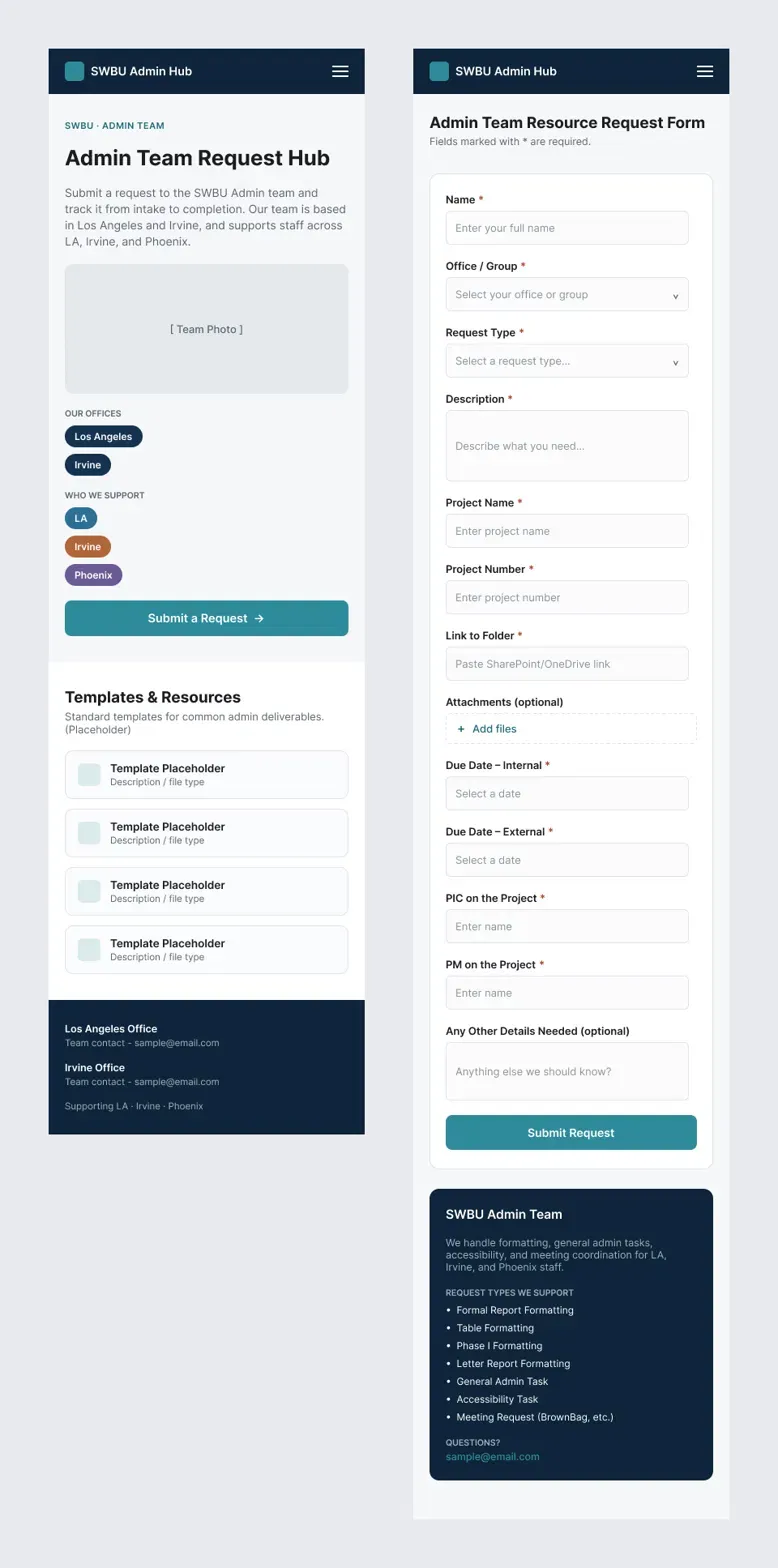
Designed for phones too
I also designed the home page and request form at phone width.
What This Can’t Show Yet
The hub is built and waiting on management review before it launches. So far, only my teammates have tried it, so I don’t have results from the wider office yet. The live site is internal, so the screens shown here come from my Figma concept.